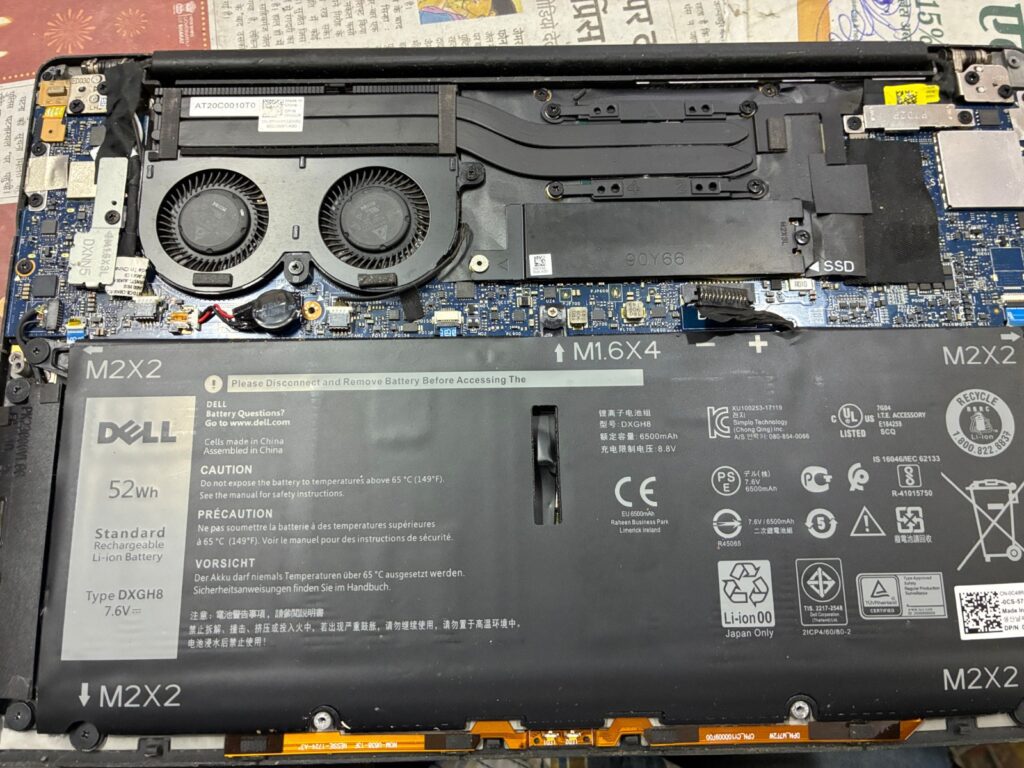
E zone care - Dell Laptop Motherboard Repair Service Center Entry - Ranchi
🏪 E zone care — Entry
E zone care - Dell Laptop Motherboard Repair Repair Area - Ranchi
🔧 Dell Laptop Motherboard Repair Repair Area
📍 E zone care Address: 3rd floor Roshpa Tower Main… — 834001 ⏰ Mon-Sat 10 Am -8 PM
📱 WhatsApp 📞 Call

Dell Laptop Motherboard Repair in Ranchi

If your laptop is not turning on, showing no display, restarting automatically, or failing to detect essential hardware components, you may require professional Dell Laptop Motherboard Repair. Through its verified service partner E zone care, EzoneCare provides structured and standardized motherboard repair solutions in Ranchi.

Located near Main Road, E zone care supports customers from Main Road and across Ranchi with diagnostic-driven repair procedures aligned with EzoneCare’s technical quality standards. Since the motherboard is the core circuit board of any laptop, accurate fault detection and chip-level expertise are essential for safe and reliable restoration.

Dell laptops are widely used by students, professionals, businesses, creators, and gamers — and each category has a different motherboard architecture.
Common Signs You Need Dell Laptop Motherboard Repair
You may require Dell Laptop Motherboard Repair if you notice:

Dell Laptop Motherboard Repair

Common Signs You Need Dell Laptop Motherboard Repair

You may require Dell Laptop Motherboard Repair if you notice:
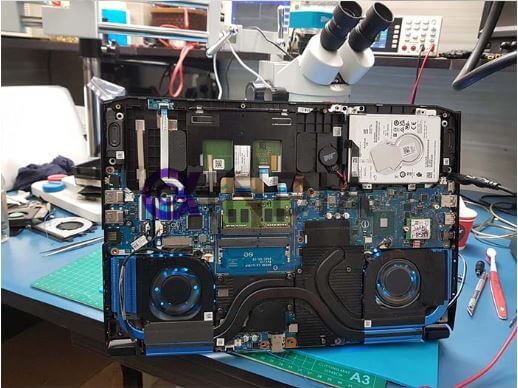
  • Laptop not powering on

  • Power light on but no display

  • Automatic shutdown or restart

  • Charging not detected

  • USB ports not functioning

  • Keyboard or touchpad not responding

  • Overheating due to power section failure

  • GPU-related display distortion (in graphic models)

Before confirming repair, technicians at E zone care perform detailed diagnostics to identify whether the issue is related to the power IC, charging circuit, chipset, BIOS, or graphics section.

Dell Laptop Series & Motherboard Architecture

Different Dell series are built for different user segments, and motherboard complexity varies accordingly.

💼 Inspiron – Students & Everyday Users

Most Inspiron models feature integrated graphics and standard power circuitry.
Common motherboard faults:

  • Charging IC failure

  • Power rail short

  • BIOS corruption

  • Liquid damage

Since these models usually use integrated graphics, motherboard repair is generally less complex compared to gaming systems.


🏢 Vostro & Latitude – Business & Enterprise Segment

Designed for commercial and office environments, these laptops prioritize stability.

Typical motherboard issues:

  • No power due to power section failure

  • I/O circuit damage

  • Docking port faults

In business environments, downtime directly affects productivity, making professional Dell Laptop Motherboard Repair critical.


✨ XPS – Premium & Performance Ultrabooks

XPS models are slim, high-performance systems used by professionals and creators.

Motherboard characteristics:

  • Compact multilayer board design

  • Advanced thermal layout

  • Integrated graphics (in most variants)

Due to compact architecture, motherboard repair requires precision handling and advanced tools.


🎮 Dell G Series – Gaming Models

These laptops include dedicated graphics (GPU) and enhanced power delivery systems.

Common motherboard problems:

  • GPU overheating

  • VRM failure

  • Power circuit stress

  • No display due to graphics chip fault

Gaming systems generate higher heat, which can impact motherboard longevity if cooling is compromised.


🚀 Alienware – High-End Gaming Systems

Alienware represents Dell’s premium gaming segment with complex motherboard integration.

Features include:

  • Dedicated high-performance GPU

  • Advanced chipset architecture

  • RGB and performance control circuits

Motherboard repair in Alienware systems often requires chip-level expertise and advanced diagnostic equipment.

Integrated vs Dedicated Graphics – Why It Matters

During Dell Laptop Motherboard Repair, identifying the graphics configuration is essential.

Integrated Graphics (Non-Graphic Models)

  • Graphics built into CPU

  • Lower power consumption

  • Fewer GPU-related failures

  • Typically simpler motherboard repairs

Dedicated Graphics (Graphic Models)

  • Separate GPU chip on motherboard

  • Higher heat generation

  • Complex power circuitry

  • GPU failure may cause no display or artifacts

Graphic models generally require deeper diagnostic testing and specialized repair procedures.

EzoneCare Standard Motherboard Repair Process

To maintain consistency across cities, EzoneCare follows a structured workflow executed locally by E zone care:

  1. Power and hardware diagnostics

  2. Short-circuit detection

  3. Chipset and IC-level testing

  4. BIOS verification

  5. Transparent repair estimation

  6. Component-level repair or replacement

  7. Stability and load testing

  8. Final quality inspection

Only necessary components are repaired to ensure cost-effective and technically sound solutions.

Dell Laptop Motherboard Repair Cost in Ranchi

Repair cost depends on:

  • Type of fault (power IC, GPU, charging circuit, chipset)

  • Laptop series and motherboard complexity

  • Extent of circuit damage

Customers in Ranchi can visit E zone care for detailed inspection and transparent pricing under EzoneCare service standards.


If you are looking for dependable and professional Dell Laptop Motherboard Repair in Ranchi, EzoneCare — delivered locally through E zone care — provides structured, diagnostic-driven, and standardized repair support designed for long-term reliability.

Our Other Dell Services In Ranchi

⚠️ Disclaimer E zone care is an independent laptop repair service center and is not affiliated with, authorized by, or endorsed by any laptop manufacturer including Dell, HP, Asus, Lenovo, Apple, Samsung, MSI, Toshiba, or any other brand. All brand names, logos, and trademarks are property of their respective owners. We provide third-party repair services only.
📱
Scroll to Top